Lights, visuals and mixing that listen to the music

DMX Predict listens to every track in advance: it finds the tempo, bars, sections, kicks and the drop. Then it drives your lights over DMX, plays visuals and mixes the set to it. Everything lands exactly on the beat, from one program, with no internet needed.

50×/sDMX frames from a dedicated thread
8 000+tracks in the smart library
3 outputsfor visuals: projector and two TVs
0dongles and online checks
INTRO
bar 1 · beat 1 · 128 BPM

Three steps from a track to a light show

No tapping the tempo, no programming every track from scratch. Analysis lays the groundwork, the automation builds the show and you fine-tune whatever you want your own way.

Track analysis

BPM and bar grid, sections (intro, build, drop, breakdown), kick, snare and hi-hat, key in Camelot notation, energy 1–10 and its curve, mix points. No extra software needed; tags and cue points from Mixed In Key are picked up too. MIDI drums from Ableton as a precise source.

Light automation

Three layers: automation driven by sections and energy, rules with look sets, and a manual timeline for the moments you want exact. Sequences are written in beats, not seconds.

Live show

The Player or Concert starts the music and the lights, 3D and visuals follow. Jump anywhere in a track? The music plays instantly and the heads catch up in the dark.

Automation: looks driven by sections and energy

A look is a recipe for the whole rig: it gives every group of fixtures a sequence, a palette colour and an intensity. The program then picks looks by itself from the section type, energy and tension of the track – you just fine-tune.

  • Layers for pars, bars, washes, beams, effects, lasers and strobes
  • “Only when” conditions – e.g. strobes only above 75 % energy
  • Colour mood, energy-driven intensity and default looks for intro, groove, breakdown, build, drop and outro
  • Look sets, assignment to tracks and a 3D preview with a simulated kick
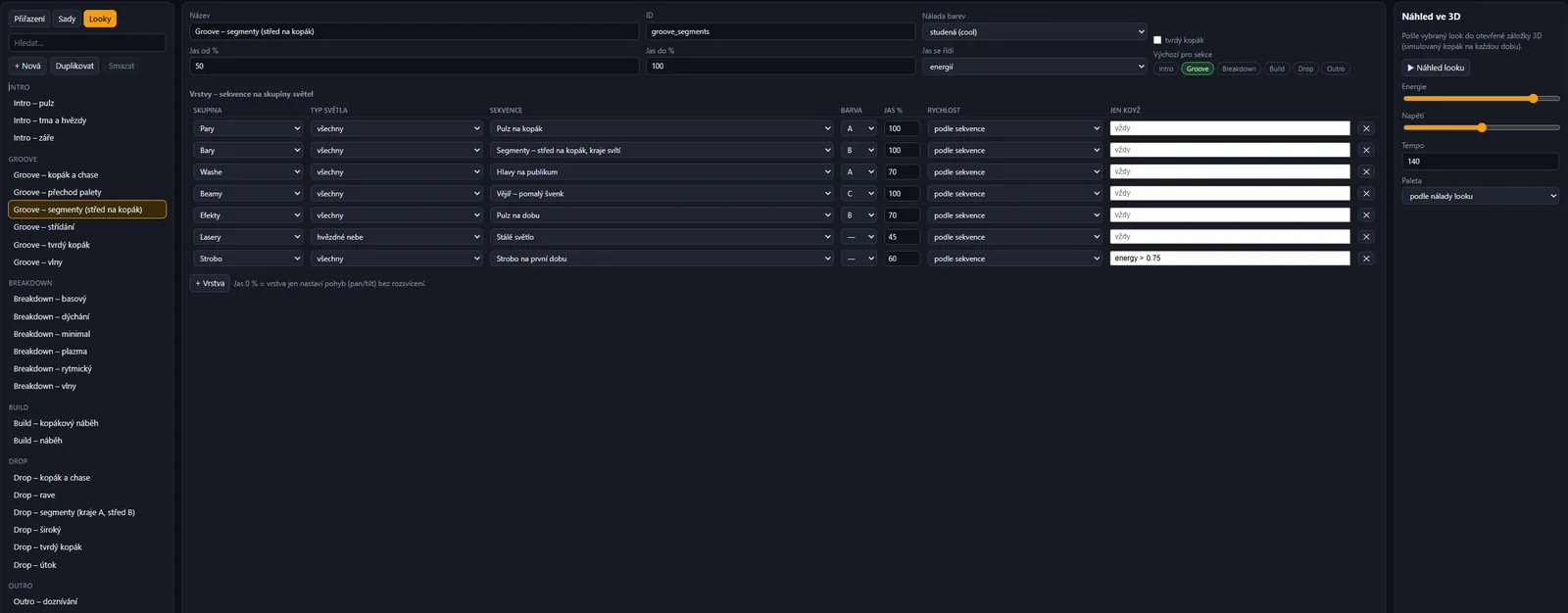
Automation look editor
Automation: the look “Groove – segments” with seven layers for fixture groups.

Ableton: the show straight from your project

Got an Ableton project for the track? DMX Predict loads it and aligns the MIDI tracks with the audio to the millisecond. Drums, bass and synths then drive the lights and visuals exactly as you wrote them.

  • Loads the .als project: all MIDI tracks, notes and their lengths, no export and no plug-ins
  • Aligns MIDI with the audio automatically by the kick (e.g. 428 of 435 hits match), fine-tune in 1 ms steps
  • Drums from MIDI instead of guessing: kick, snare and hi-hat as a precise source for the automation
  • Lights from MIDI and Visuals from MIDI: rules that turn notes of chosen tracks into flashes, strobes, effects and layers
  • Changed the project? Reload and the show is recalculated, clips you added by hand stay
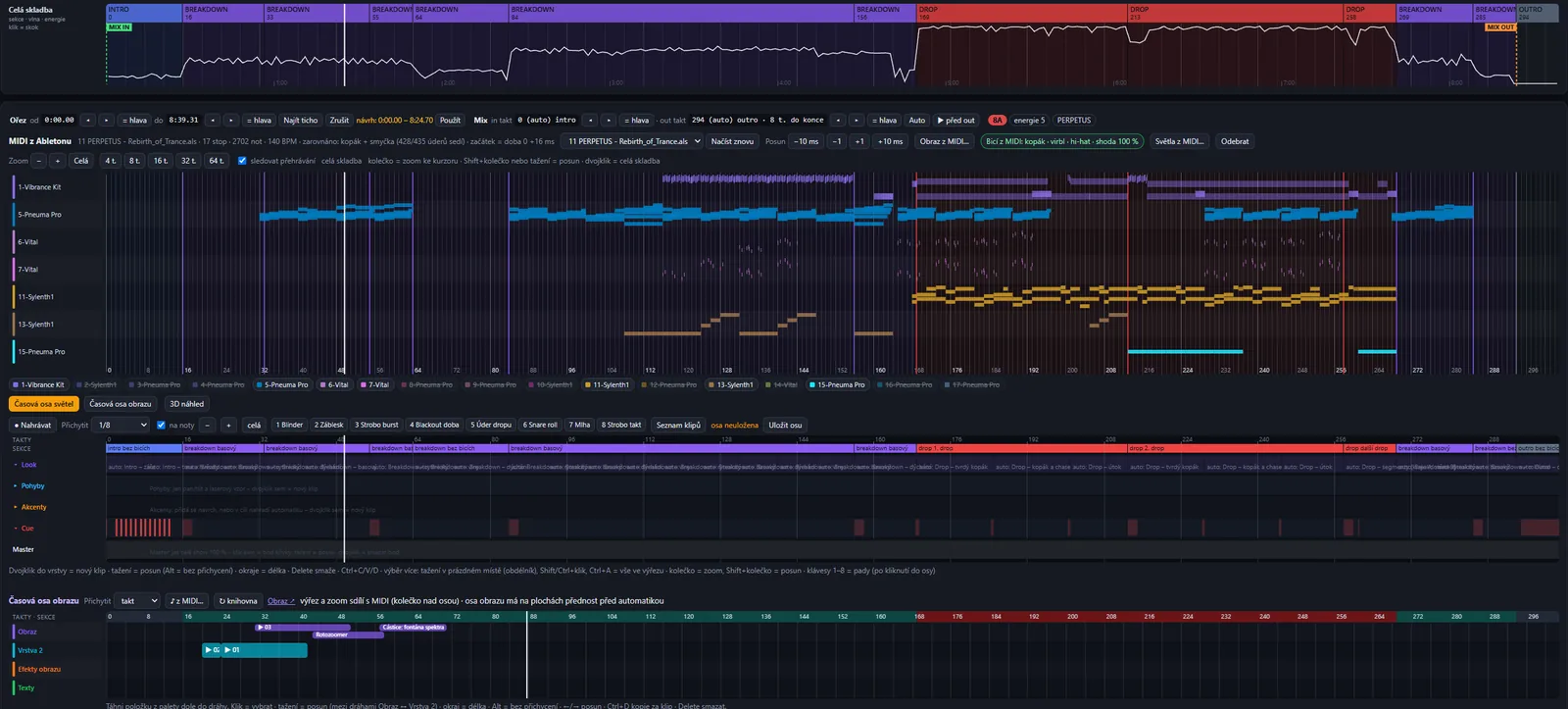
DMX Predict Player with an Ableton project loaded
The Player with an Ableton project: track sections, MIDI tracks, the lights and visuals timelines below each other.

Lights and a 3D stage

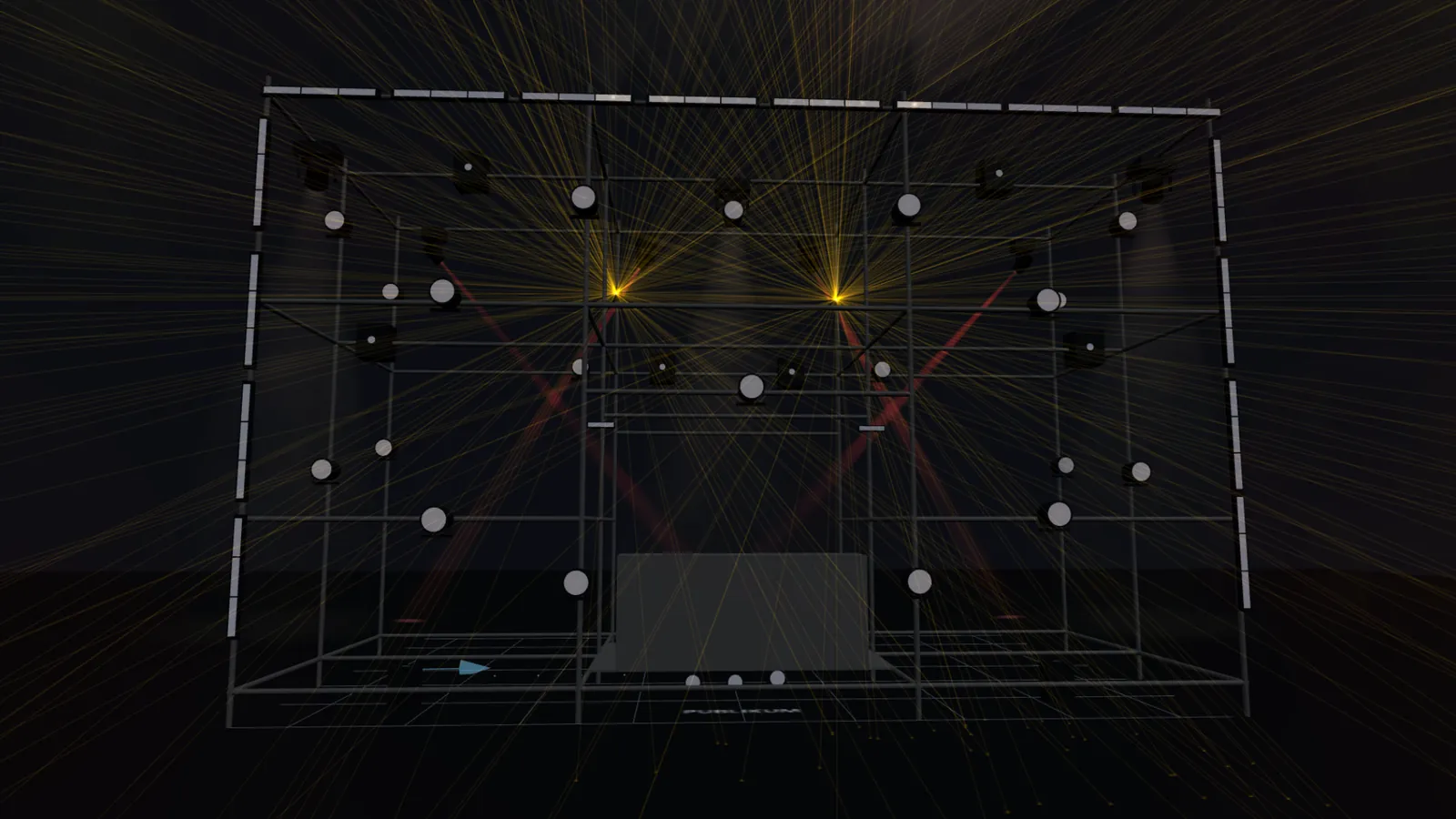
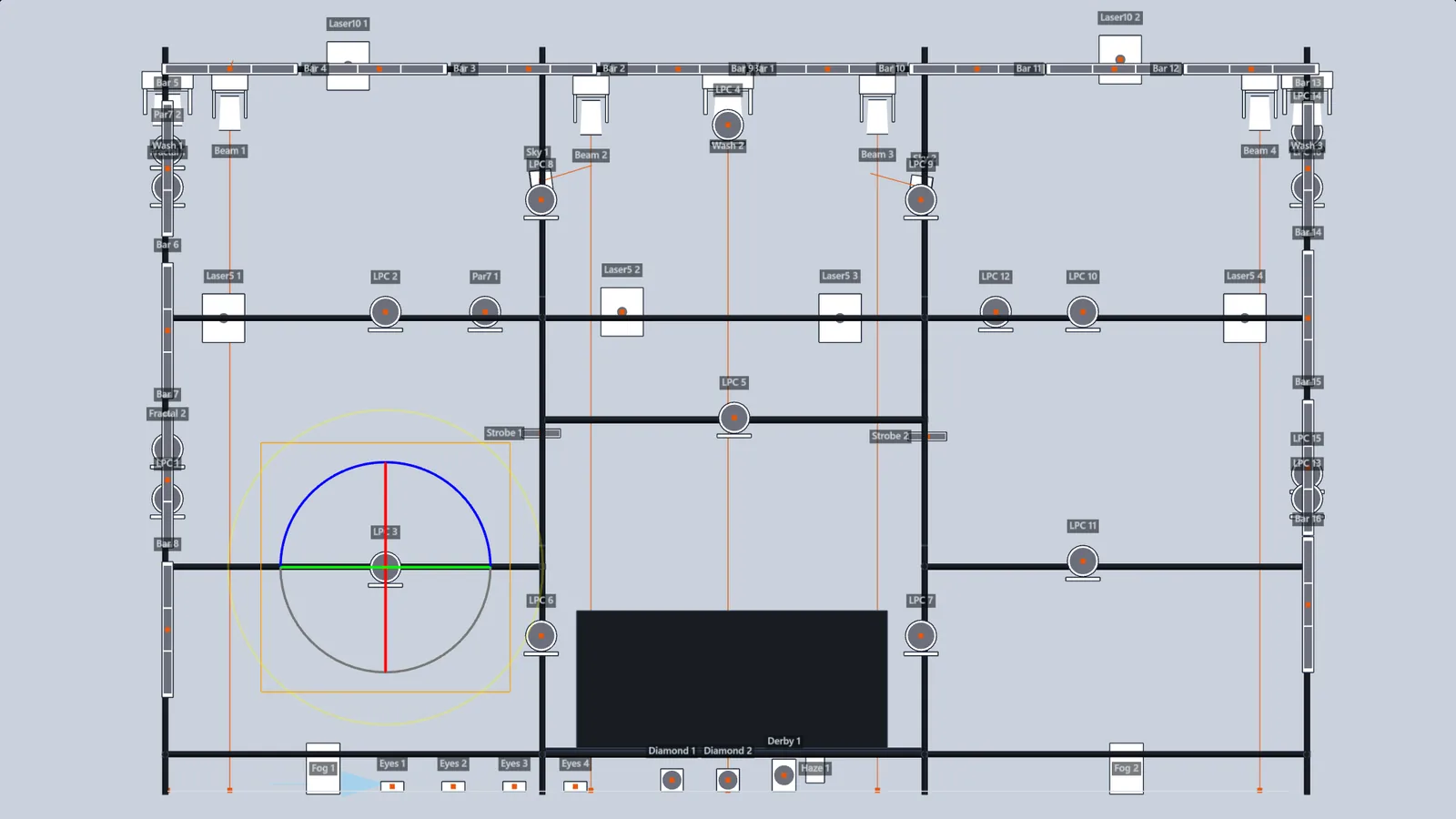
Build your rig in 3D: trusses, moving heads, washes, bars, lasers, haze. See the show before you bring the first fixture.

  • Realistic preview with haze, wind and beams; lasers visible only in smoke, just like in real life
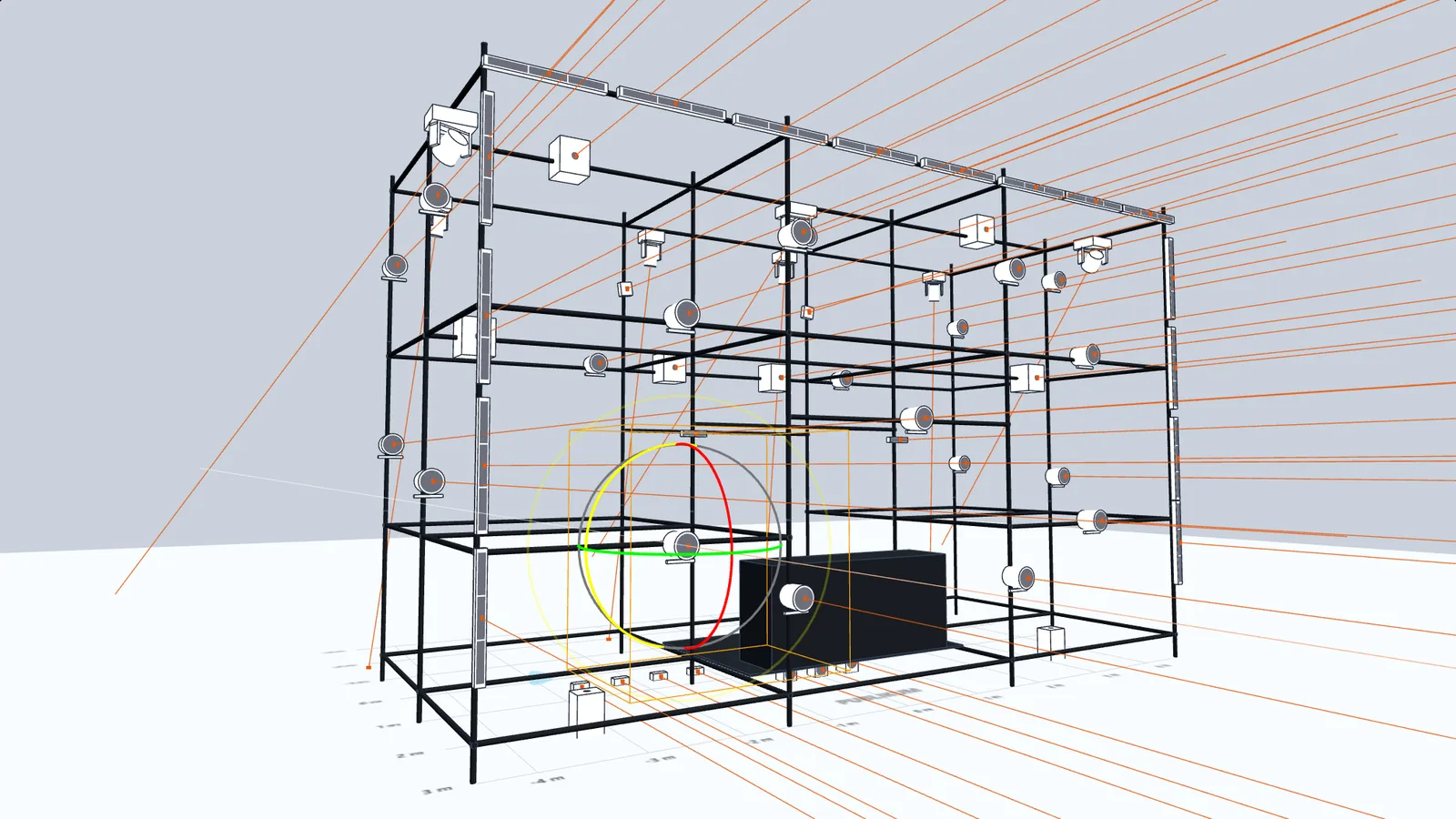
  • Stage Build mode: wireframe, measuring, grid snapping, fixtures hung on trusses
  • Patch check (addresses, overlaps, universes) and a printable lighting plot as PDF
  • Patch with fixture profiles, sequences and looks for groups, colour palettes
  • Output via Enttec DMX USB Pro or Art-Net
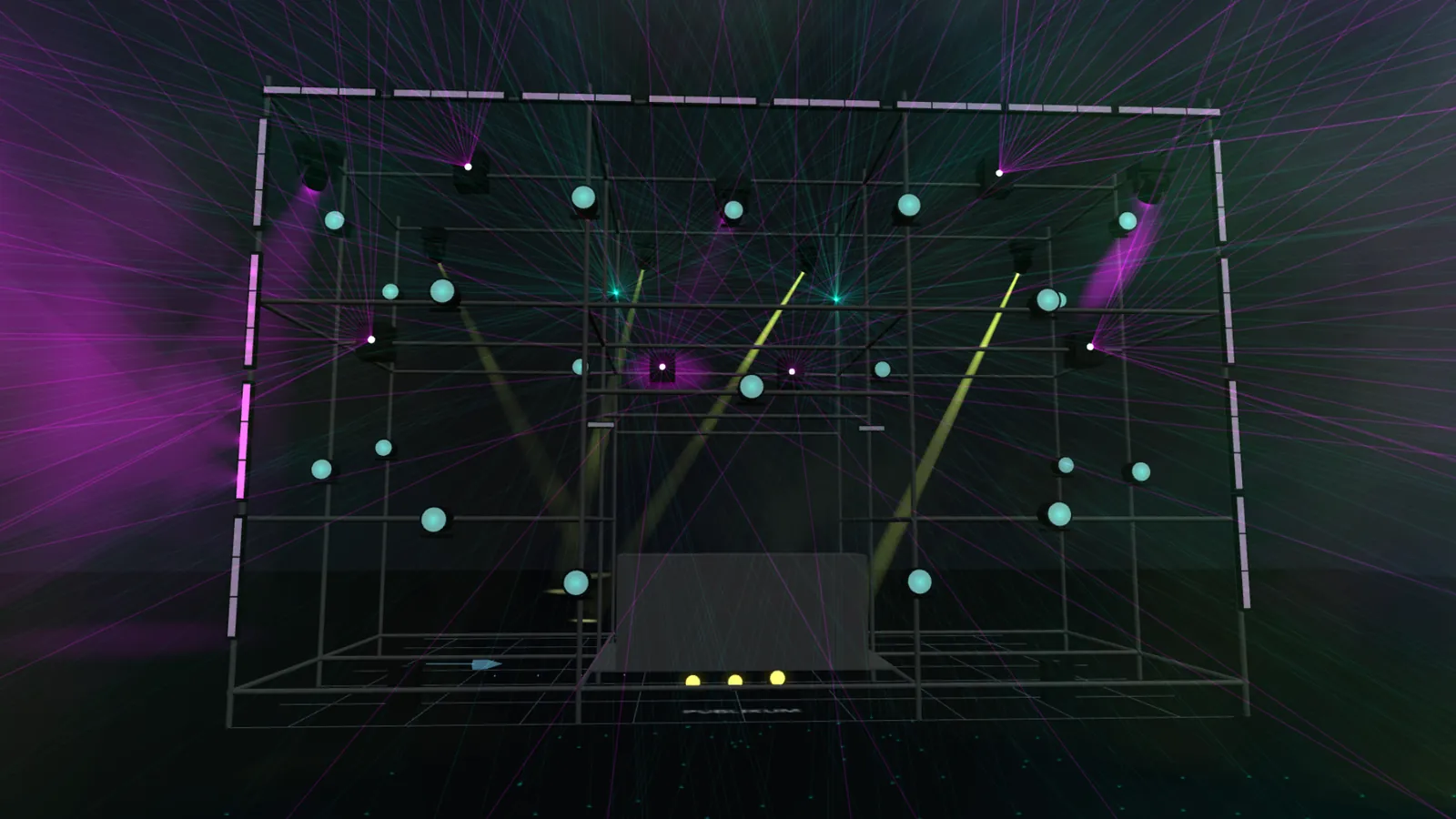
DMX Predict – 3D preview of a real rig during the drop: lasers, moving heads and bars in haze
A real screenshot: 3D preview of the rig during the drop.

One track, three moments

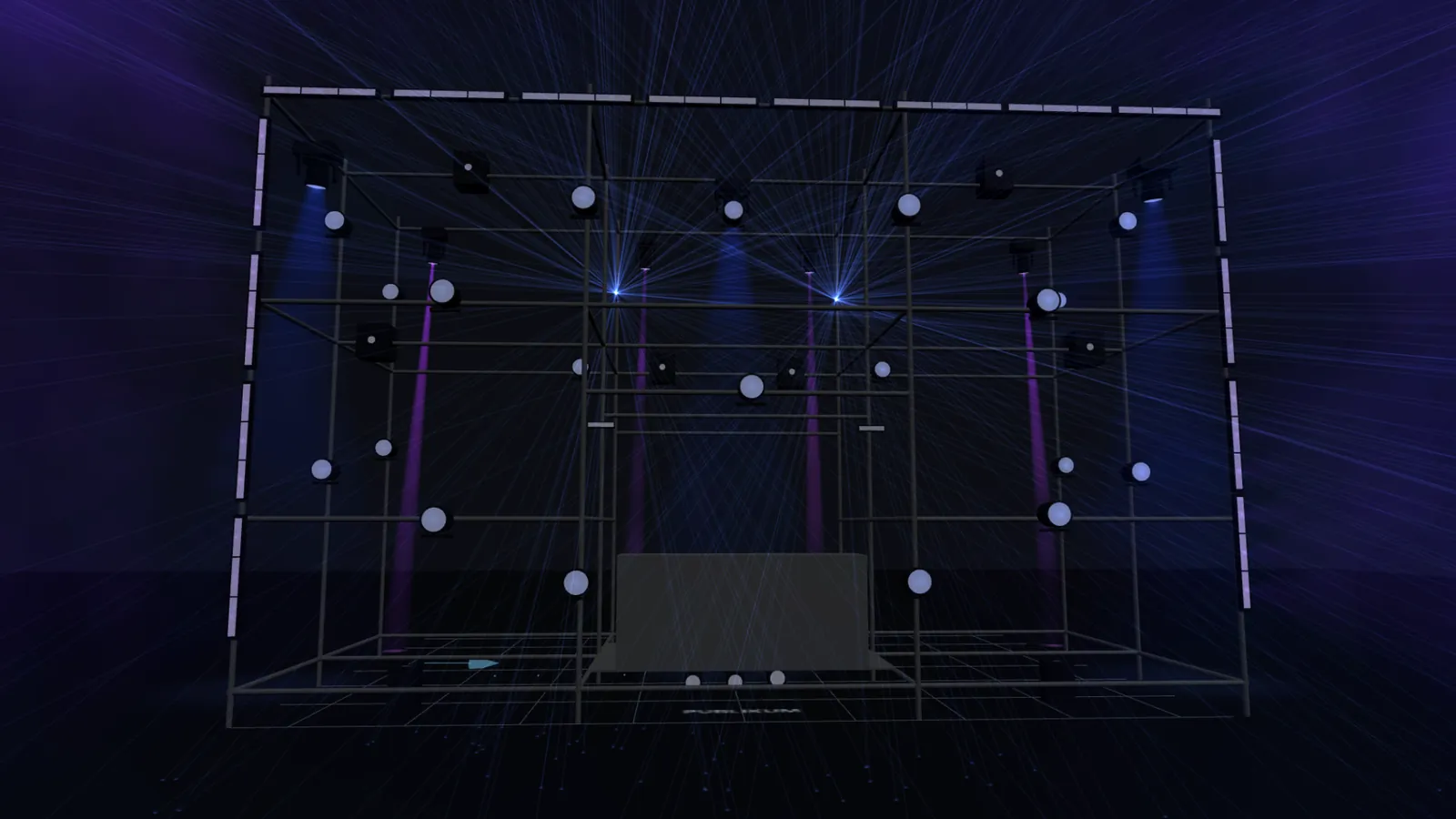
Screenshots from the program during a single track (Clive King – The Prophecy, 150 BPM). The colours, movement and lasers were chosen by the automation from the section and energy.

Drop – kick and chase, psy palette, energy 79 %
Breakdown – breathing, deep blue palette
Breakdown – rhythmic, sunset palette

Stage build: wireframe and instant render

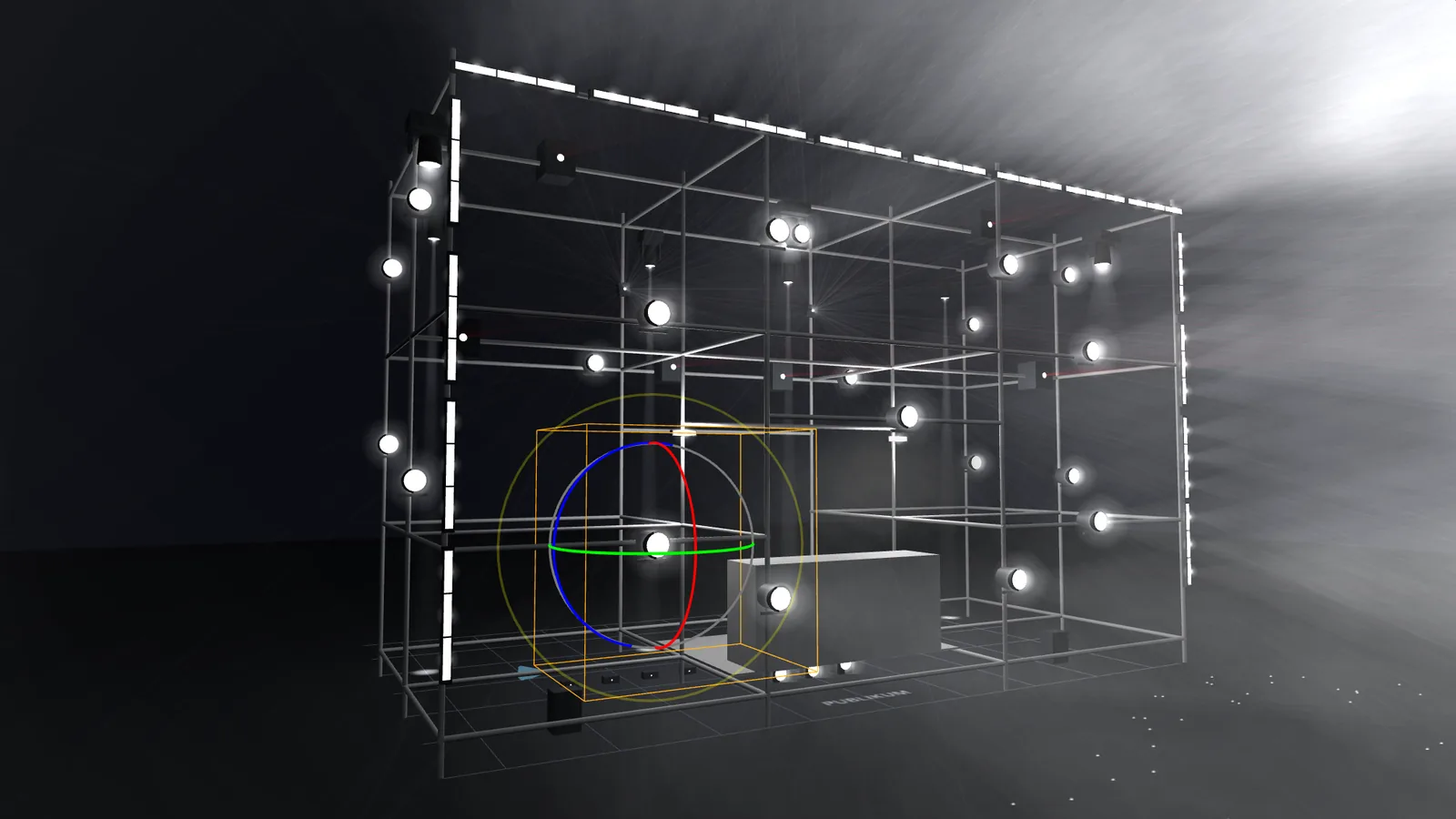
Assemble the rig in a wireframe model: move, rotate and scale right in the view, grid snapping, measuring, fixtures hung on trusses, checks and cabling. One click shows the same view rendered with lights and haze.

Stage wireframe with a rotation gizmo
Wire: trusses, fixtures and beam directions while rotating the selected fixture.
Rendered stage with fixtures lit
Render: the same view with the fixtures on, in haze.
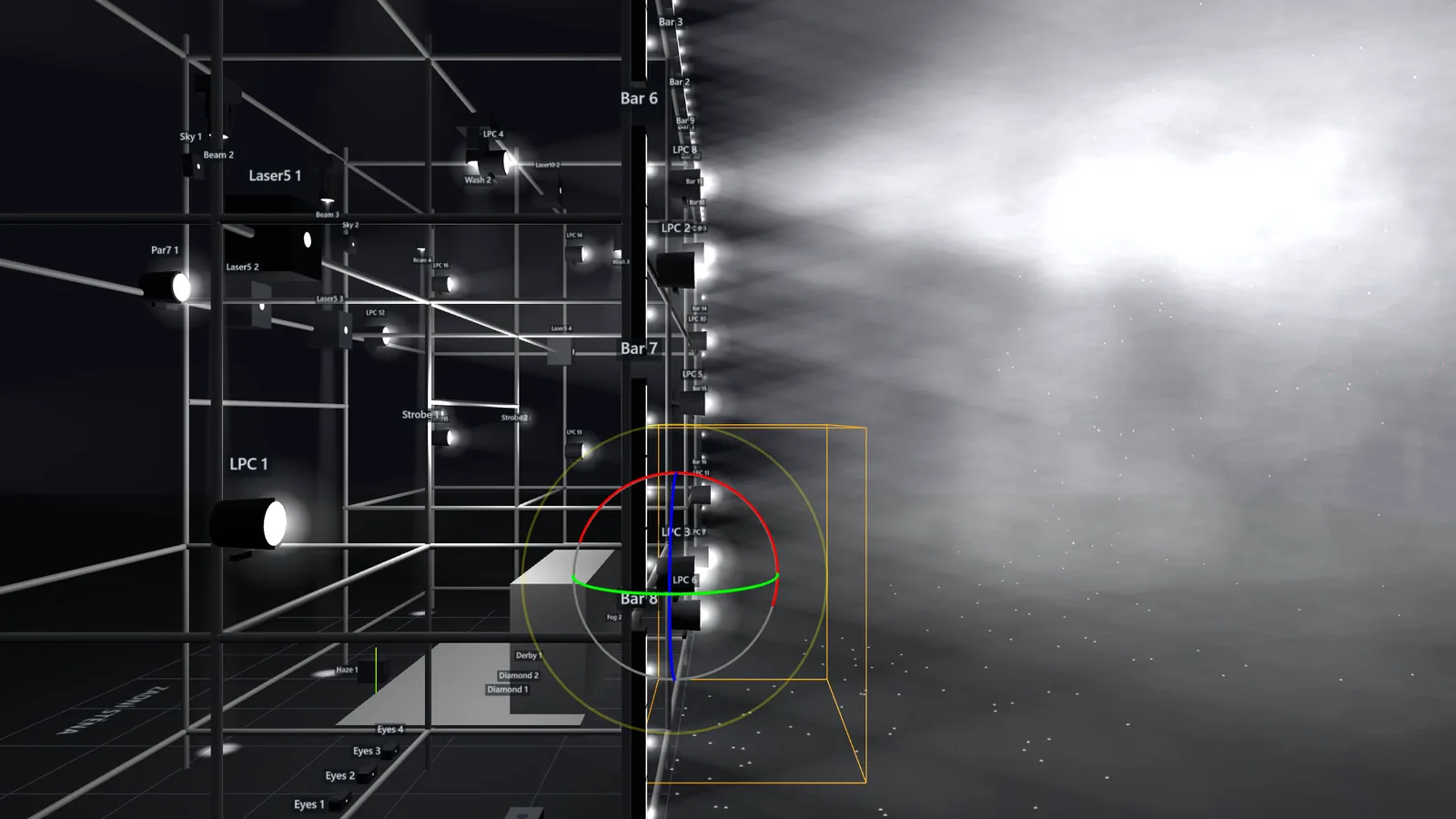
Editing the stage in side perspective
Side perspective: editing the rig right in the render with lights and haze.

Flat views for exact placement

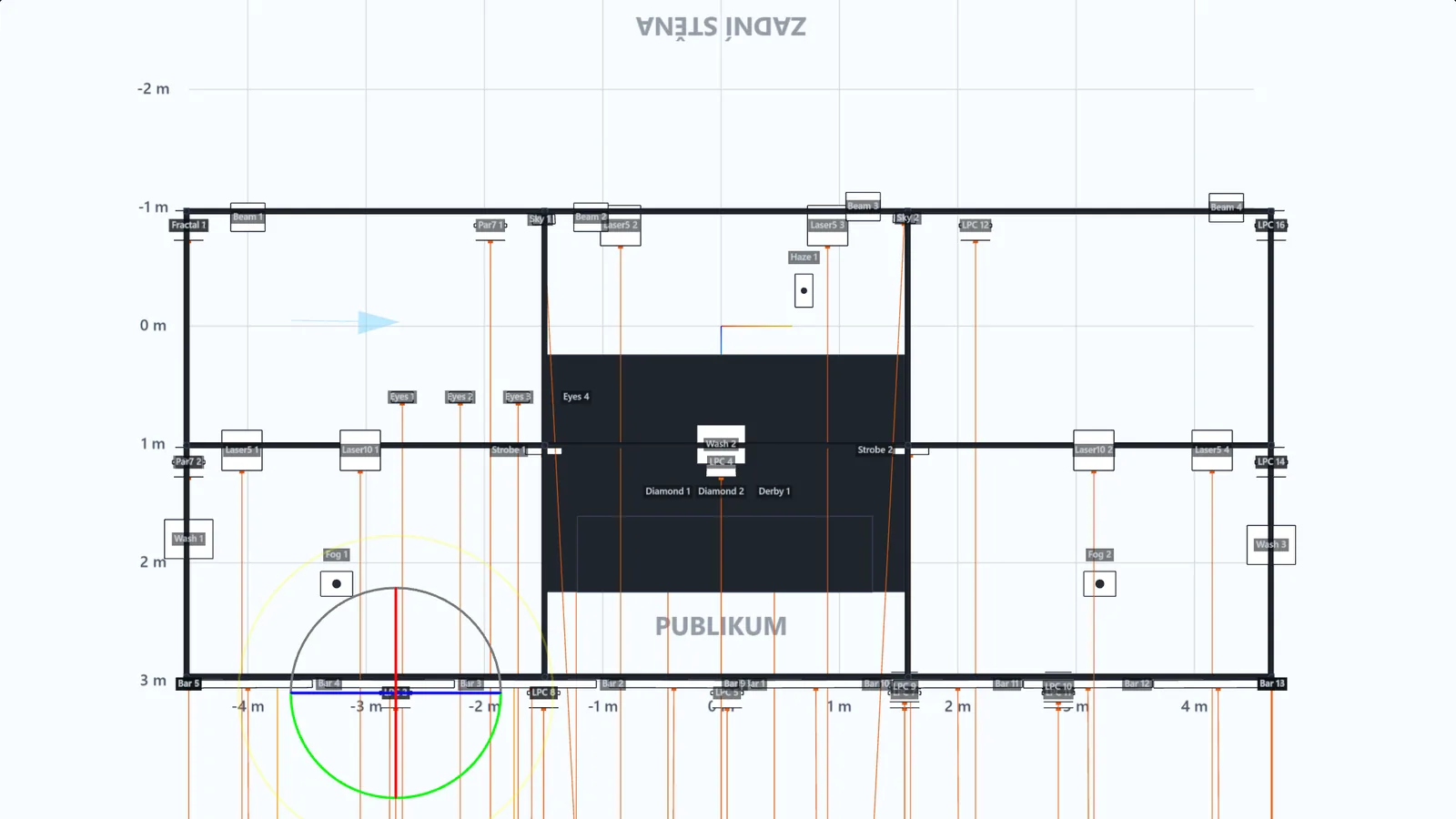
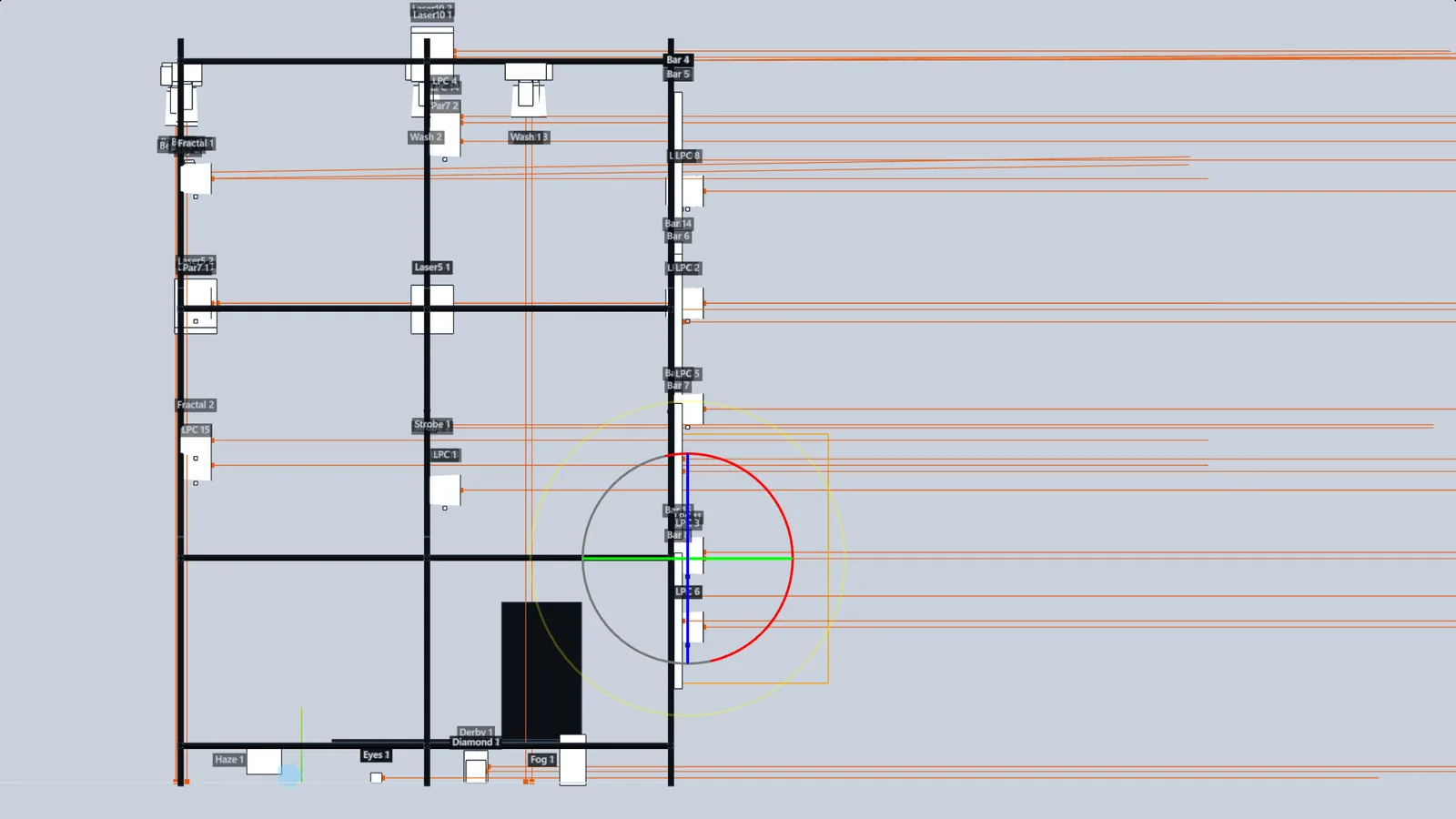
Front, top and side in orthographic projection with metres and labels. Place a fixture to the centimetre and see right away where it points.

Front
Front
Top – back wall, audience and a metre grid
Side
Side

Haze and fog simulation – wind direction included!

At an open air, the wind decides. That is why the DMX Predict 3D preview doesn't just draw a “grey veil”: fog builds up in the space, swirls and gets blown away. Before the gig you see where to put the fog machines, where the wind comes from and where beams and lasers will really be visible.

  • Base haze – a constant level in the space, as if the hazer was running before the show
  • Fog machines and hazers from the patch follow their DMX channel: a cloud from the nozzle (coloured on LED foggers), the fog level rises and fades again
  • Wind 0–2 m/s with gusts and selectable direction: it carries the fog, thins it on the windward side, blows it out of the space and tears it into clouds
  • Fog movement – swirling and uneven density, beams are not equally dense everywhere
  • Lasers only where there is fog: the beam fades in thinner spots, the dots on walls and structures stay; a 10 W laser shines brighter than a 5 W one
  • Heads, washes and bars light up according to fog density; ambient light goes from night to dusk
  • The show can fire the fog machines by itself by section; everything runs live at 60 fps
A real recording from the program at 60 fps: fog machines, haze, wind from changing directions and 5 W and 10 W lasers.

Concert: a DJ desk that thinks about the lights

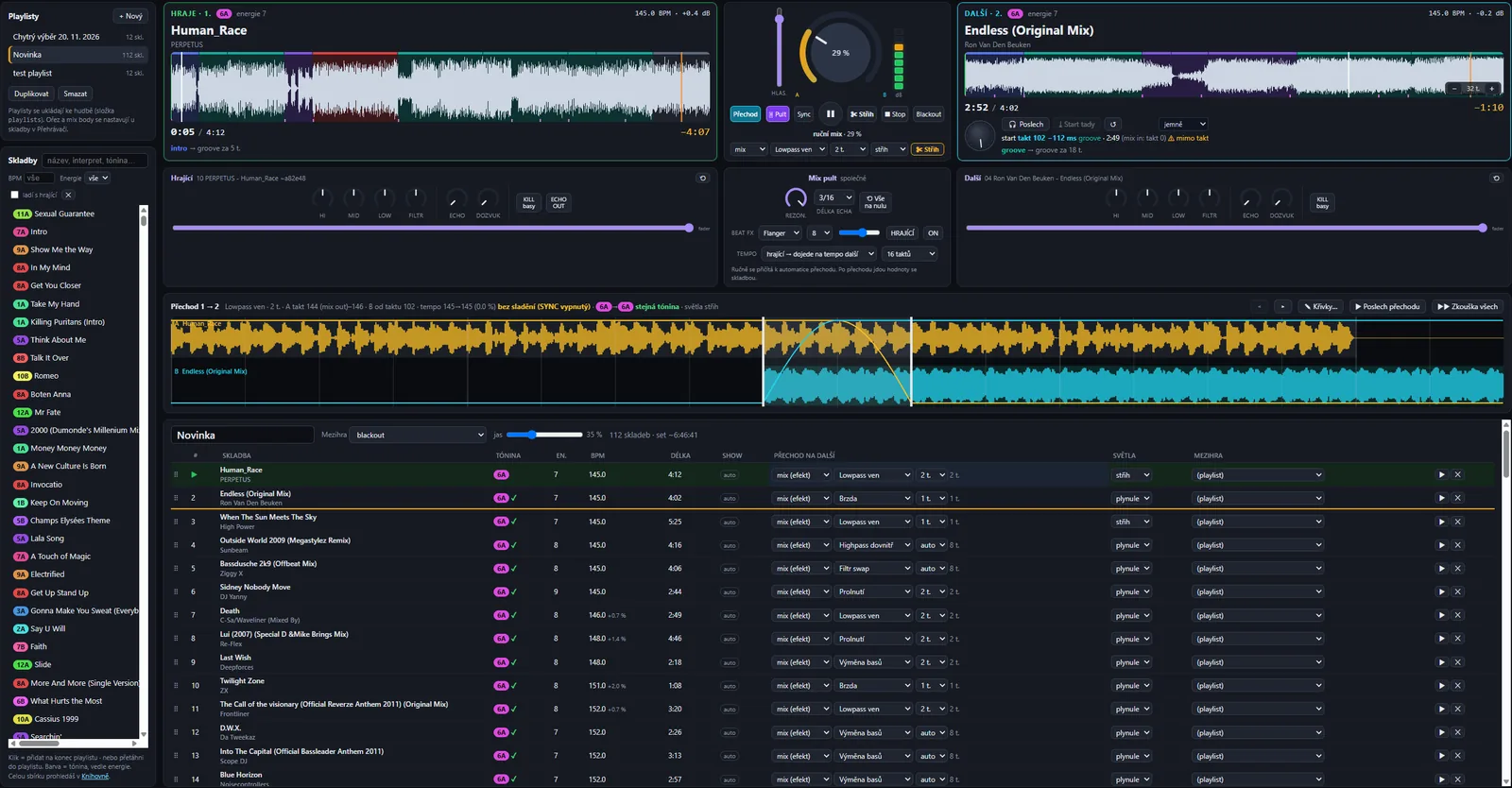
Two decks, playlists and transitions planned to the bar. When a track fades out, the lights and visuals move on with it.

  • Transitions with a curve editor: volume, EQ, filters, echo, reverb, brake and gate for both decks
  • Mixer with EQ, filter, echo, bass kill and echo out, controllable over MIDI
  • Sync and tempo: the next track comes in at the current tempo and glides back, or the playing one ramps to the new one
  • Cut on the next beat with one button, a wheel for manual mixing
  • Library with star ratings, smart filters and mix ordering by key and BPM
Concert in DMX Predict: two decks, mixer and playlist
Concert: the playing and next track, mixer, a transition planned to the bar and a playlist with keys.
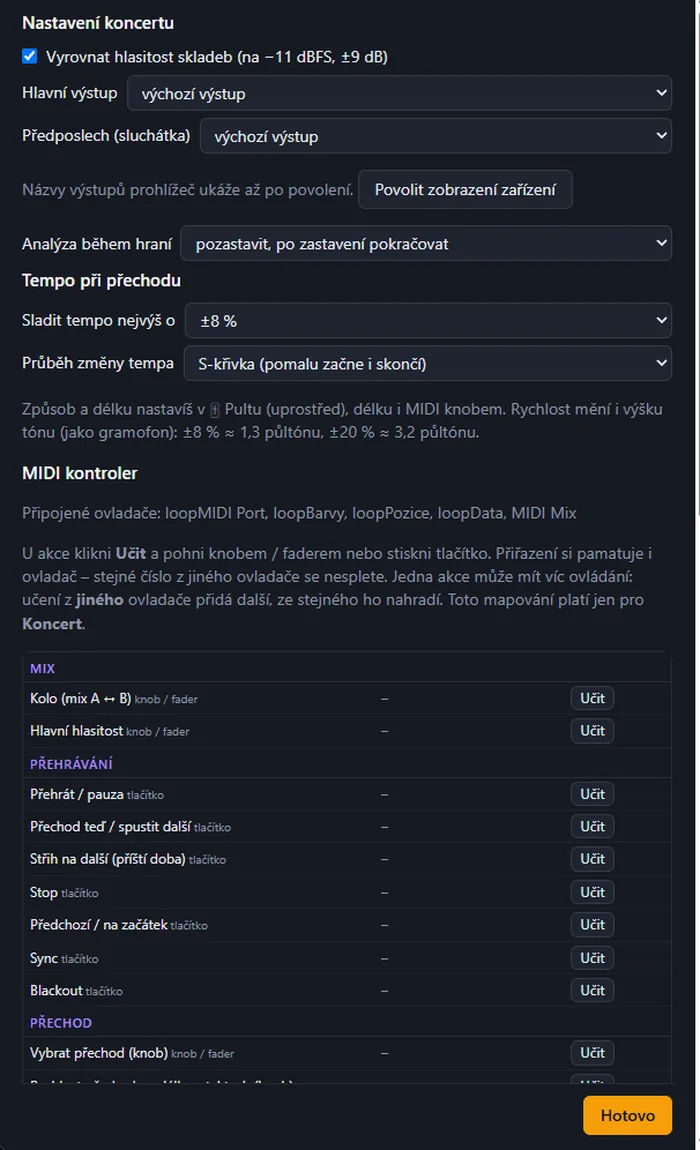
Concert settings with MIDI learn
Concert settings: audio outputs, tempo during transitions and MIDI learn.

MIDI controllers without programming

Click Learn next to an action and move a knob – that's it. One action can have several controllers at once, controller LEDs show the state and knobs pick up the value softly, without jumps. Mappings are saved as named profiles – for you and for a guest DJ.

  • Concert, Visuals and 3D have their own mappings
  • Akai APC, MIDImix or anything with MIDI
  • Profiles: save, load, add to the current one

A library for thousands of tracks

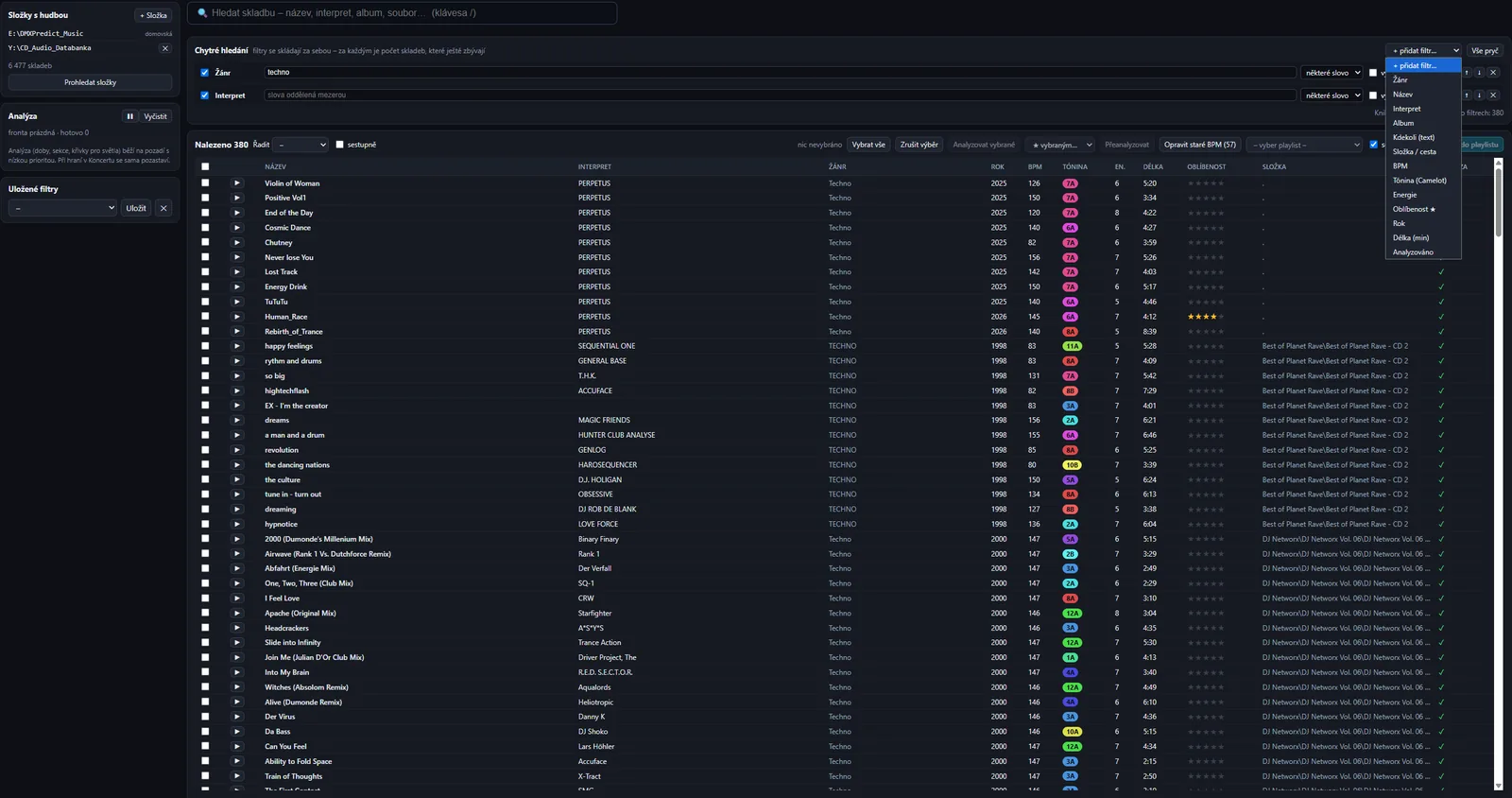
Search your whole collection across several drives and network shares from one box. Smart filters stack up and each shows how many tracks are left. Files stay where they are – nothing is copied or rewritten.

  • Search by title, artist, genre, key, BPM, energy, year and stars
  • Saved filters and selection straight into a playlist
  • On-demand analysis in the background; it pauses by itself while the Concert is playing
Track library with smart filters
Library: 6,477 tracks from two folders, a genre filter and the menu of further filters.

Visuals: VJ without another program

Visuals run from the same analysis as the lights, with the same colour palette. On the projector and on the TVs in the DJ booth.

  • Shadertoy-compatible shader editor with parameters bound to the kick, bass and energy
  • Video loops locked to bars, blended layers, particles that react to the drop
  • Texts and names, even made of particles; image effects triggered in rhythm, effect sets per section
  • A visuals timeline for every track, clips straight from MIDI notes
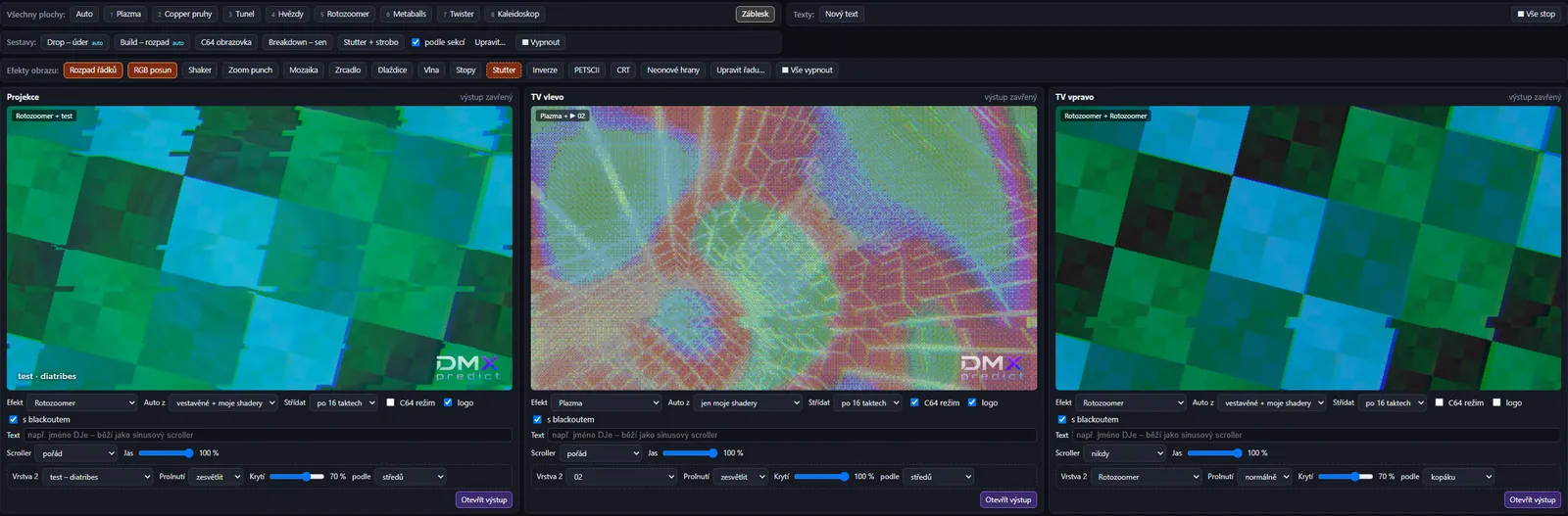
  • Three outputs (projector and two TVs) and a C64 mode for old demoscene fans
Visuals in DMX Predict: three surfaces with effects
Three surfaces (projector and two TVs), each with its own effect, layer and automation. The look is still being tuned.

Patch and sequences: lights your way

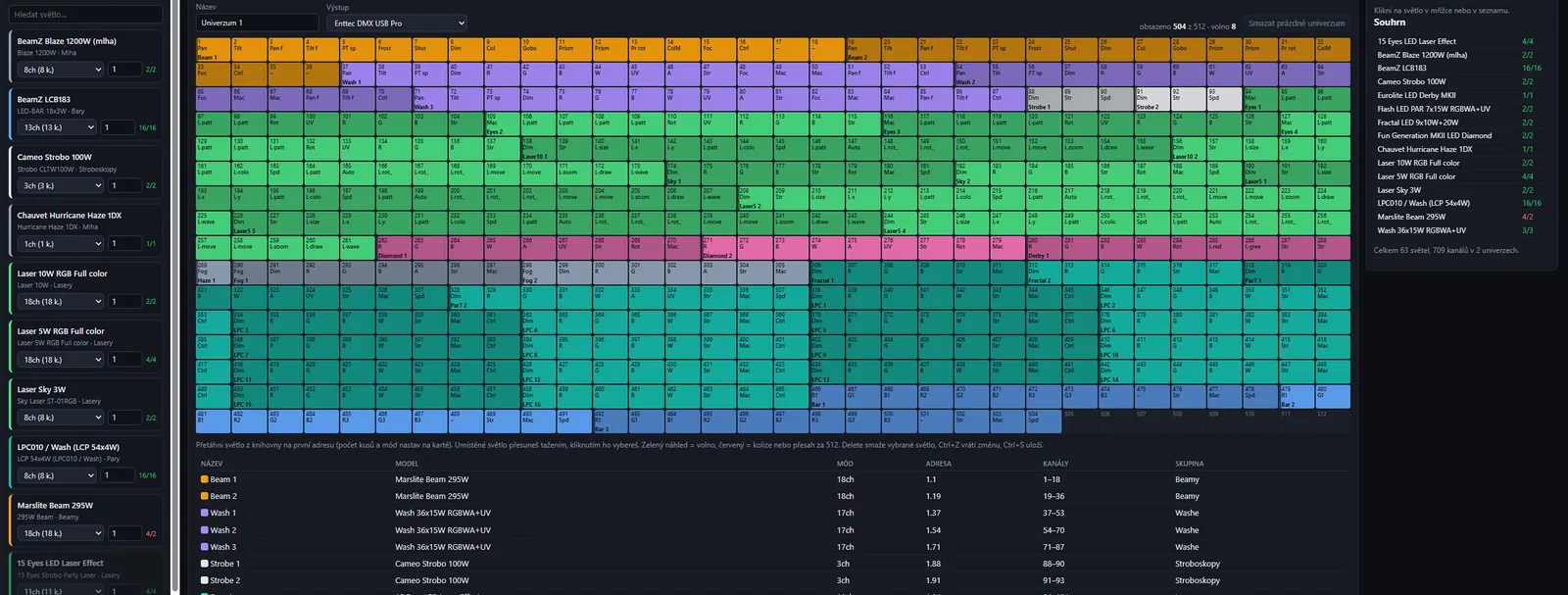
Patch the rig by dragging fixtures from the library, fine-tune each fixture profile in the editor and write movements, chases and strobes in beats. The automation then applies them to whole groups of fixtures.

Lighting patch: DMX address grid
Patch: 63 fixtures in two universes, an address grid with channel functions and overlap check.
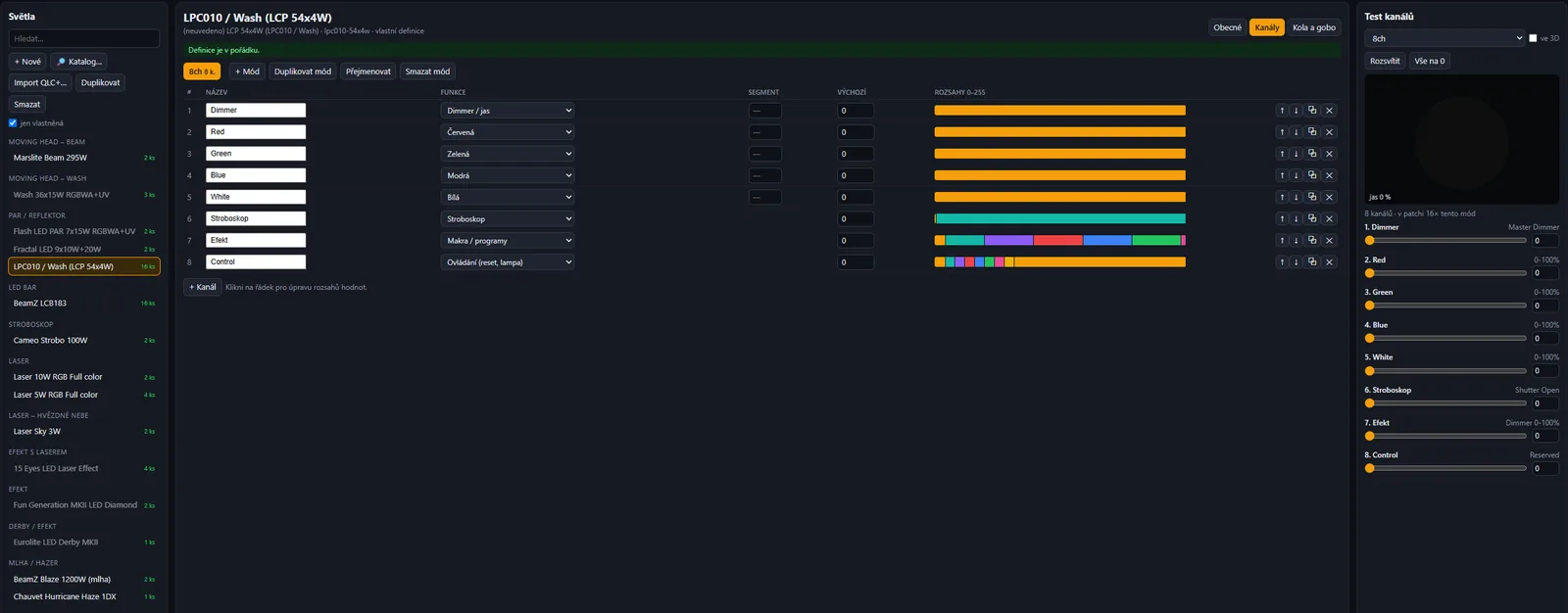
Fixture profile editor
Fixture editor: modes, channels, functions and value ranges, live channel test on the right.
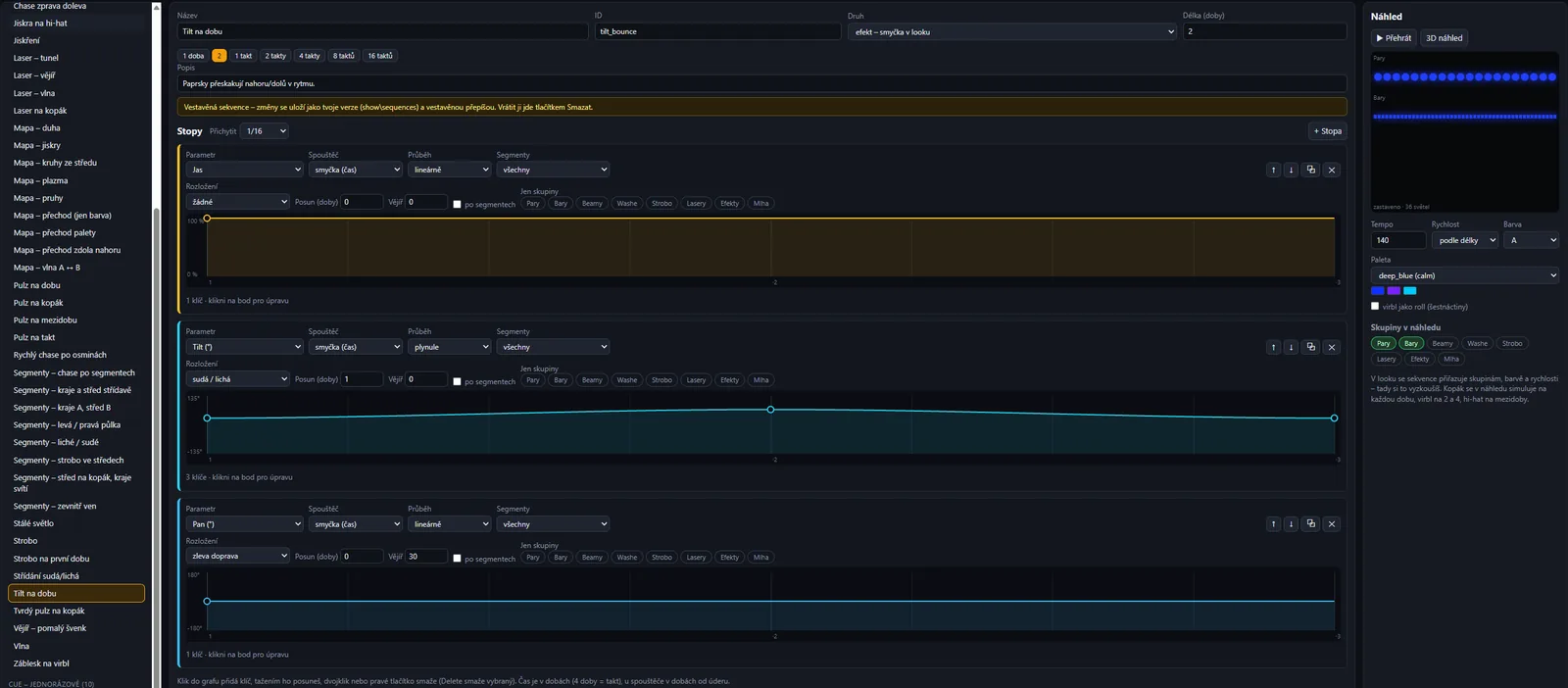
Sequence editor
Sequence editor: tracks for intensity, pan, tilt and colour, spread across groups and a preview in rhythm.

Hardware freedom

Software that doesn’t lock you to one box or one server. Connect what you have and play even in the middle of a field with no signal.

DMX without a proprietary interface

Enttec DMX USB Pro or any Art-Net node. Multiple universes and multiple interfaces by serial number.

Enttec USB ProArt-Netmultiple universes

Any MIDI controller

Learn with one move, LED feedback, separate mappings for Concert, Visuals and 3D. Several controllers at once.

Akai APCMIDImixanything with MIDI

Any fixtures

Moving heads, washes, bars, strobes, lasers, foggers. Profiles from the channel table in the manual, plus Open Fixture Library and QLC+ catalogues.

fixture profileslaser presets

Your sound card, your headphones

Main output and cue on any sound cards. Loudness levelled from the analysis.

mastercue

Your screens

Projector, TVs, LED wall over HDMI or an adapter. Each output with its own settings.

3 outputsFull HD and 4K

Licence without internet

The serial number is verified right on your computer. No servers that have to answer just as the show starts.

offline activationbackup laptop
The music always comes first

Audio is scheduled ahead with sample accuracy, DMX runs in its own thread, 3D and visuals in their own processes. If the graphics stutter, the music keeps playing and the lights stay in time.

The performance monitor watches the CPU, memory, audio, DMX and the frame rate of every window and logs every spike – also as a small always-on-top window. A performance watchdog with an emergency mode that automatically lightens the visuals under overload is on its way.coming soon

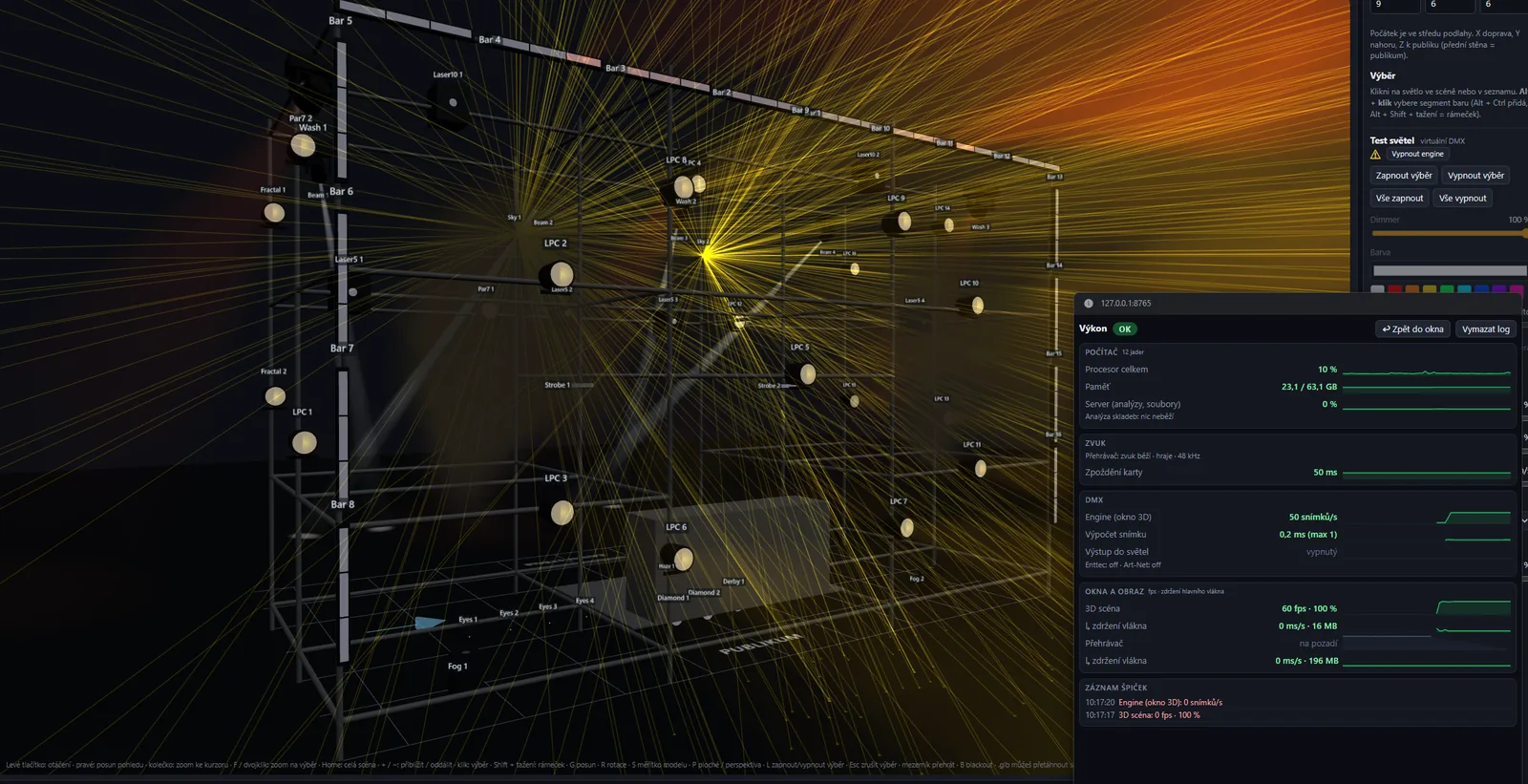
Performance monitor over the 3D preview
Always-on-top performance monitor: CPU, audio, DMX engine at 50 frames/s and 3D at 60 fps.

Try everything, play with a licence

The free version does everything, including real DMX output. At a public event it will give you away, though.

Free

€0

For trying things out and programming at home.

  • All features, lights and DMX without limits
  • Watermark on the visuals
  • The music dips briefly from time to time

Pro

Price to be announced

For live events without compromise.

  • No watermark, no dips
  • Serial number verified offline
  • Activation for a backup laptop too
  • Updates and the profile library

Where we’re heading

Now

Development and tuning on a real rig. Concert, lights, 3D and visuals are working.

Winter 2027

Standalone Windows application with an installer.coming soon

Spring 2027

Track recognition from a live input and Pioneer Pro DJ Link for guest DJs.coming soon

May 2027

Live premiere at an all-day OpenAir festival.

We’ll let you know when it’s ready to download

Leave your e-mail and we’ll send a link to the first public version. Nothing else.

We'll send a confirmation e-mail. Unsubscribe with one click. Sign up